

You are building an app. It needs to get information from a server, such as products, user profiles, or orders.
How does the app ask for that information?
That is where an API comes in. An API gives an app a way to ask a server for data or ask it to do something.
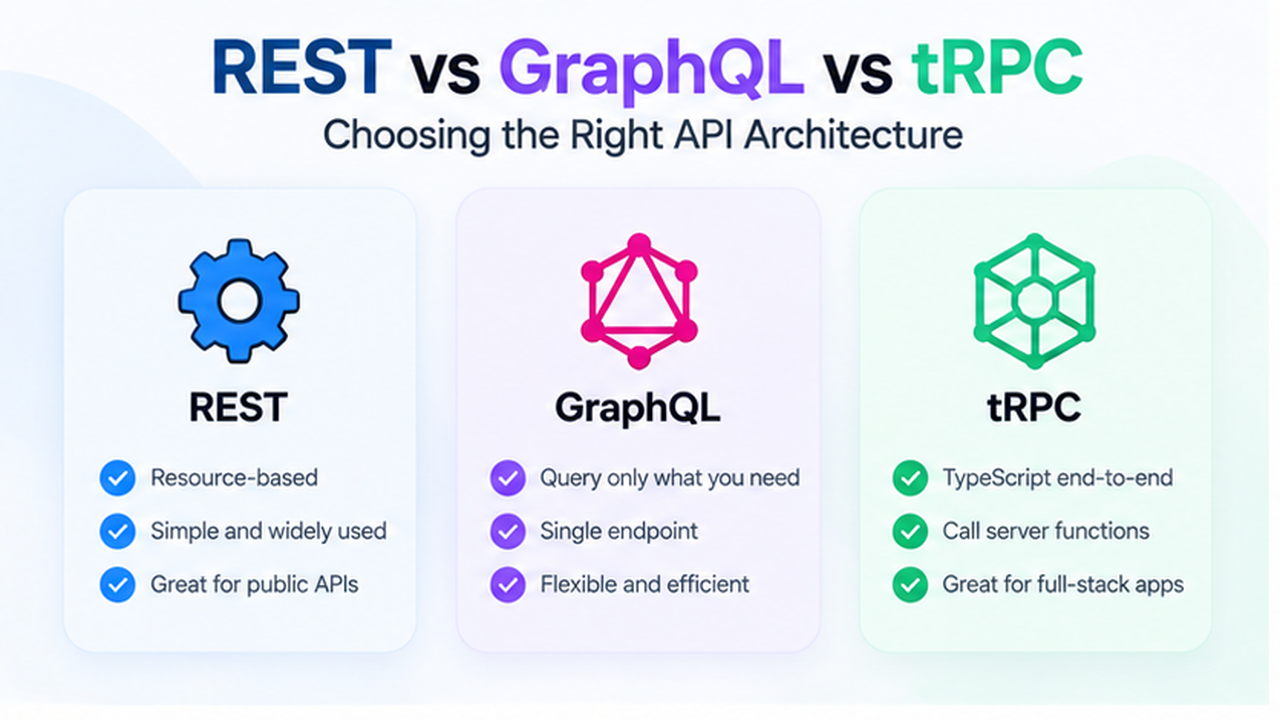
REST, tRPC, and GraphQL are three ways to build that connection. Each can work well. The right choice depends on who will use your API and what your app needs.
Let's use a simple online store to understand the difference.
The Difference in One Minute
Imagine your app wants information about a keyboard.
- REST: The app visits a product address. The server returns the product details it has chosen to include.
- tRPC: The app calls a server function, such as
getProduct. TypeScript helps developers check how to use that function. - GraphQL: The app lists the product details it wants, such as the name and price. The server returns those fields.
Think of these as three different ways to ask for information.
REST: Ask at a Specific Address
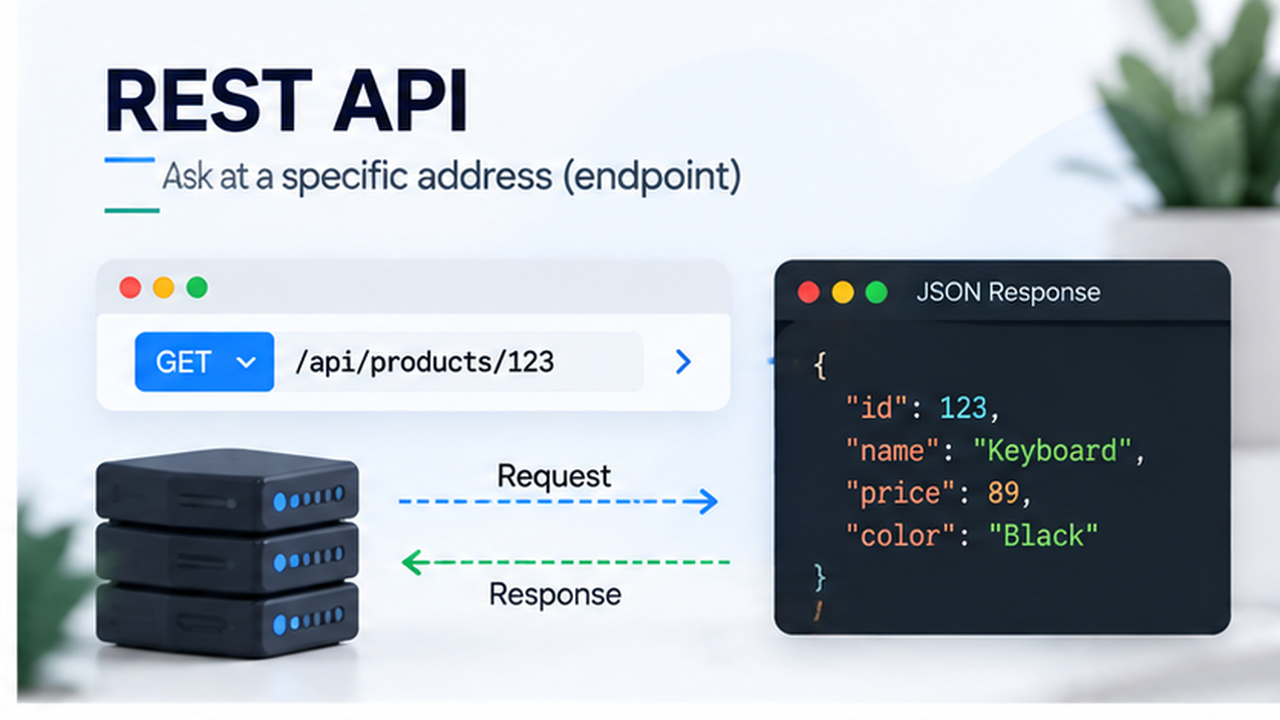
A REST API usually gives each kind of information an address, called an endpoint.
For example:
GET /api/products/123
This means: "Get the product with ID 123."
The server might reply:
{
  "id": 123,
  "name": "Keyboard",
  "price": 89,
  "color": "Black"
}
The app receives the fields the server includes. If the app needs reviews too, it might make another request. The server could also offer an address that returns both product details and reviews.
REST also uses different actions. For example, GET reads information, while POST commonly adds something new.
Why Choose REST?
- It works with many programming languages.
- Other companies can connect to it using familiar web tools.
- Product and order addresses are easy to understand.
- Some responses can be saved and reused to avoid fetching them again. This is called caching.
What Should You Watch Out For?
An app may receive fields it does not need. It may also need several requests to build one screen. Good endpoint design can reduce these problems.
You also need clear documentation so developers know what to send and what they will receive.
Good fit: An API for partners, mobile apps, or clients using different languages.
tRPC: Call a Server Function with TypeScript Help
With tRPC, developers create functions on the server that the app can call.
A call might look like this:
// Example using an already configured tRPC client
const product = await client.getProduct.query({ id: '123' });
This means: "Run getProduct on the server and give me the result."
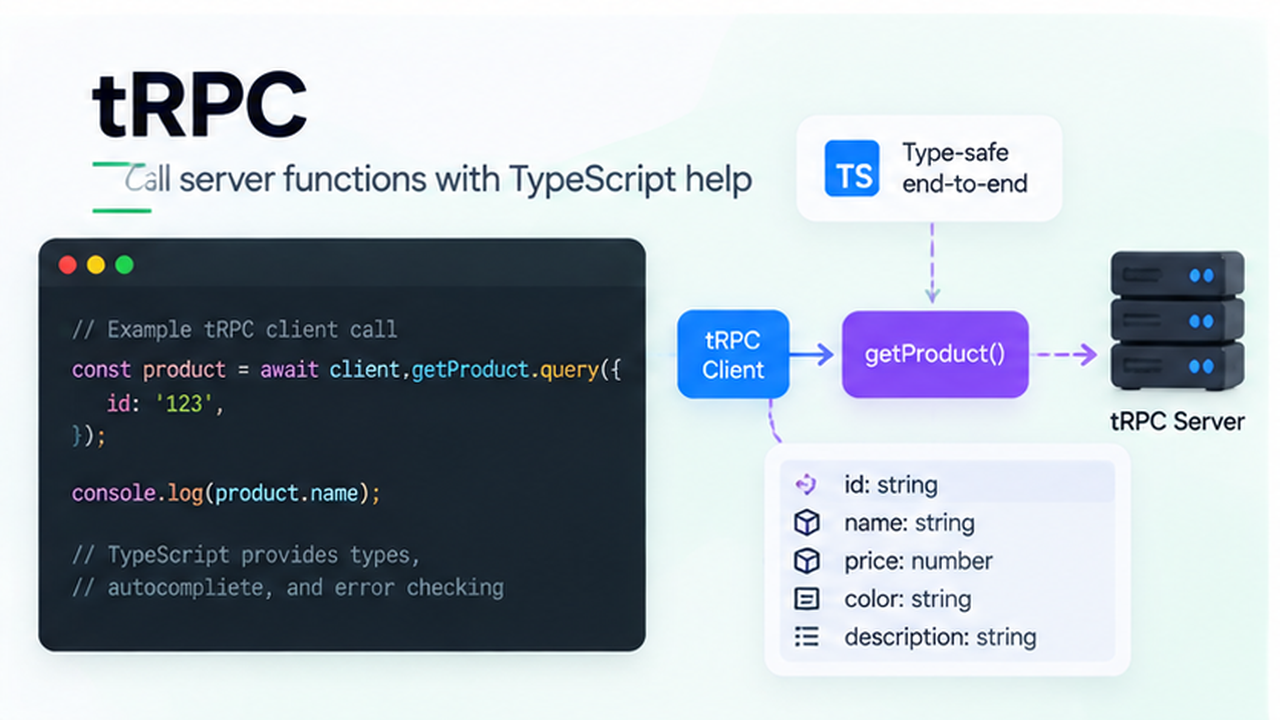
The main benefit is how tRPC works with TypeScript. TypeScript checks parts of your code before the app runs.
For example, if getProduct expects a text ID, your editor can point out when you pass the wrong kind of value. It can also show which fields the result contains, such as name and price.
Developers get that information from the server's types, which reduces the need to write matching types separately for the app. The tRPC quickstart (opens in a new tab) shows how this connection is set up.
Why Choose tRPC?
- It gives helpful suggestions in your code editor.
- It catches many mistakes before the app runs.
- It reduces repeated work when the app and server both use TypeScript.
- It is useful when the same team builds both sides.
What Should You Watch Out For?
TypeScript checks do not protect the server from every bad request. The server must still check incoming data and make sure users have permission.
You also need to handle updates carefully. An older version of the app may still be talking to a newer server.
tRPC is less convenient when outside developers use many different languages.
Good fit: A TypeScript app, an internal dashboard, or a tool whose app and server are managed together.
GraphQL: Ask for the Fields You Need
GraphQL lets an app choose fields from the data the server makes available.
For example:
query {
  product(id: "123") {
    name
    price
  }
}
This means: "Get product 123, but only give me its name and price."
The reply might be:
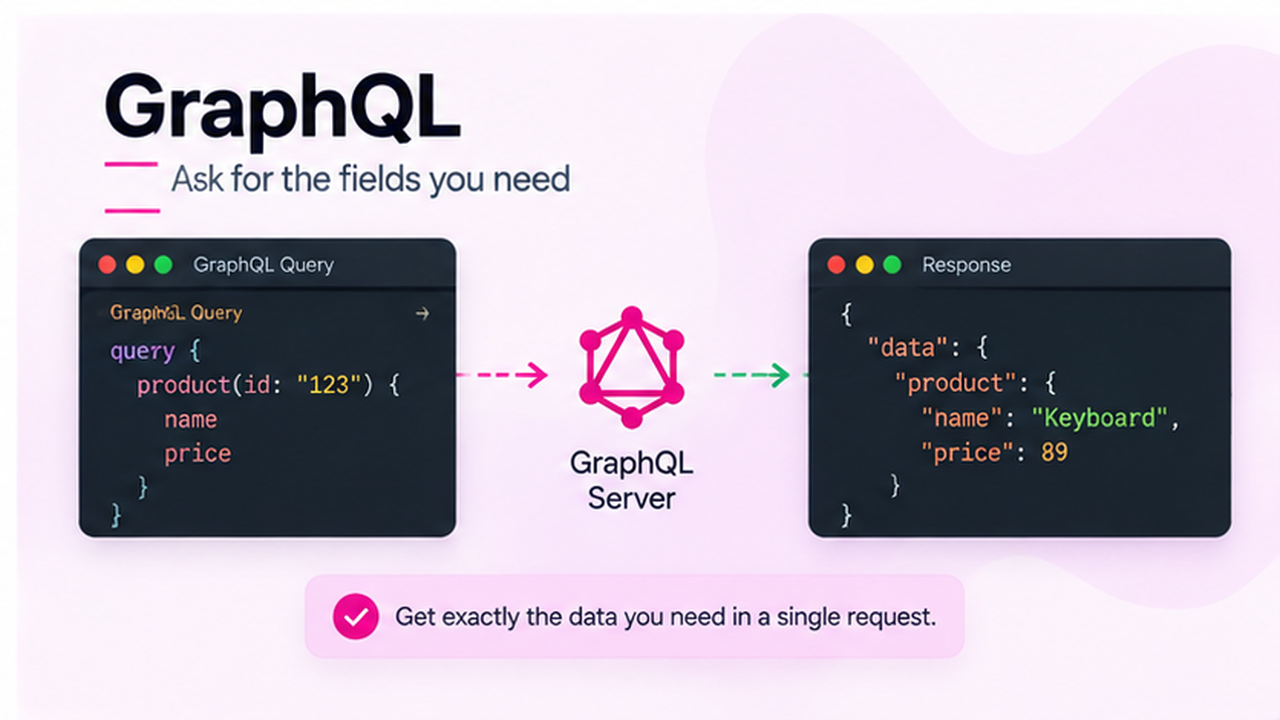
{
  "data": {
    "product": {
      "name": "Keyboard",
      "price": 89
    }
  }
}
A product page could ask for more fields. A small mobile screen could ask for fewer. Both use the same API.
GraphQL can also let an app ask for related information together, such as a product and its reviews, if the server supports it.
Why Choose GraphQL?
- Different screens can ask for different fields.
- Related information can be requested together.
- Web and mobile apps can use the same API in different ways.
- The server has a clear description of available data, called a schema.
What Should You Watch Out For?
GraphQL usually adds more setup and maintenance work.
One request from the app can still make the server do a lot of work. The team needs to keep requests from becoming too large or expensive. See the GraphQL security guide (opens in a new tab).
Caching is possible, but it takes planning. Asking for fewer fields does not automatically make every request faster.
Good fit: Apps with many connected kinds of data, especially when different screens regularly need different combinations of information.
A Simple Comparison
| Question | REST | tRPC | GraphQL |
|---|---|---|---|
| How does the app ask? | Uses an address | Calls a server function | Lists the fields it wants |
| Who chooses the returned fields? | Usually the server | Usually the server function | The app, from available fields |
| Works across different languages? | Yes | Most useful with TypeScript | Yes |
| Main benefit | Familiar and widely supported | Helpful shared TypeScript types | Flexible data requests |
| Main thing to manage | Endpoints and documentation | Shared types and compatible updates | Schema and request costs |
All three still need security, error handling, and good server code.
Which One Should You Choose?
Choose REST When Other People Need Your API
Suppose your store shares order information with a delivery company. You do not control the delivery company's programming language or app updates.
REST is a practical starting point because it provides a familiar way for different systems to communicate.
Choose tRPC When Your App and Server Both Use TypeScript
Suppose your team is building an internal store dashboard. The same team manages the dashboard and the server, and both use TypeScript.
tRPC can make daily development easier because developers can see the expected inputs and results directly in their editor.
Consider GraphQL When Different Apps Need Different Data
Suppose your store has a website and a mobile app. The website needs detailed product information, reviews, and seller details. The mobile app needs smaller responses for simpler screens.
GraphQL may help if these different data needs keep creating extra work. It gives each app more control over the fields it requests.
REST can support these needs too. Consider GraphQL when its flexibility provides enough value to justify the extra work.
Does Team Size Matter?
Team size can affect how people coordinate, but it should not decide the API by itself.
A small team may need REST because outside companies use its API. A large team may use tRPC for an internal TypeScript tool.
Focus on these questions:
- Who will use the API?
- Do the app and server both use TypeScript?
- Do different screens need very different data?
- Can your team maintain the chosen approach?
These answers are more useful than counting developers.
Which One Is Faster?
There is no winner for every project.
Speed depends on how much data you send, how quickly the database responds, and how much work the server does.
- REST can be fast with well-designed endpoints and caching.
- tRPC can combine some calls into one network request when configured to do so.
- GraphQL can avoid sending fields the app does not need, but a complex request can still be slow.
Test the screens your users actually use. Changing the API approach will not automatically fix a slow database.
Can You Use More Than One?
Yes. Your store could use:
- REST for delivery partners.
- tRPC for its internal TypeScript dashboard.
- GraphQL for its customer apps, if flexible data requests are useful.
You do not need all three. Each adds work to maintain. Start with one that meets your needs and add another only for a clear reason.
Frequently Asked Questions
A Practical Starting Point
Use REST when broad compatibility matters. Use tRPC when your app and server share TypeScript and your team manages both. Consider GraphQL when flexible requests would make different apps and screens easier to build.
Choose the approach that solves your current needs and that your team can comfortably maintain.